“Is this the problem this fix is for?”
Show when the fix applies.
Describe the visible symptom, the affected screen, and the conditions that need to be true before someone follows the guide.

Troubleshooting guide software
Use UIHike to capture the symptom, the checks to make, the fix to try, and the result to expect—so the next person has useful context before they ask for help.
Start locally without an account. Cloud sharing requires an account.
The evidence belongs with the instructions
A short message saying “reset the filter” leaves room for doubt. A visual guide can show the starting screen, the setting to change, and the result the reader should see afterwards.
Build a guide someone can use
Each part of the guide removes a different kind of uncertainty: whether this is the same problem, what to try, and whether it worked.
“Is this the problem this fix is for?”
Describe the visible symptom, the affected screen, and the conditions that need to be true before someone follows the guide.
“What should I check and change?”
Keep the relevant screens, settings, and notes together. Call out the decision that changes what the reader should do next.
“Did that actually solve it?”
Include the screen or outcome that confirms success. If it looks different, say when to stop and pass on the context you have gathered.
An illustrative known-fix example
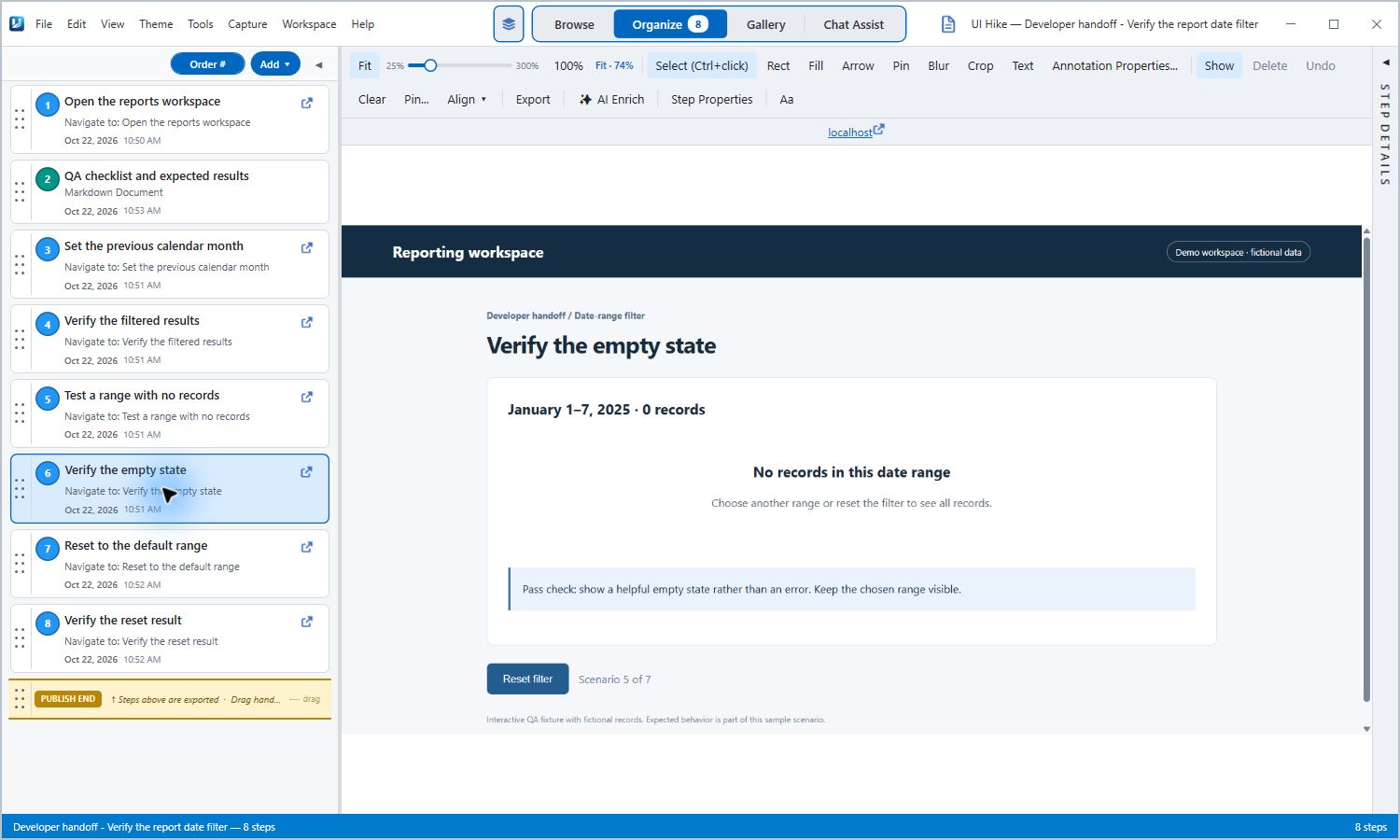
In this example, a report looks empty because the selected date range has no matching records. The guide shows how to check the range, try the normal month, and confirm that the expected records return.
What the reader receives
Illustrative context based on the real UIHike guide below. It is not a production incident or a guarantee that every empty report has the same cause.
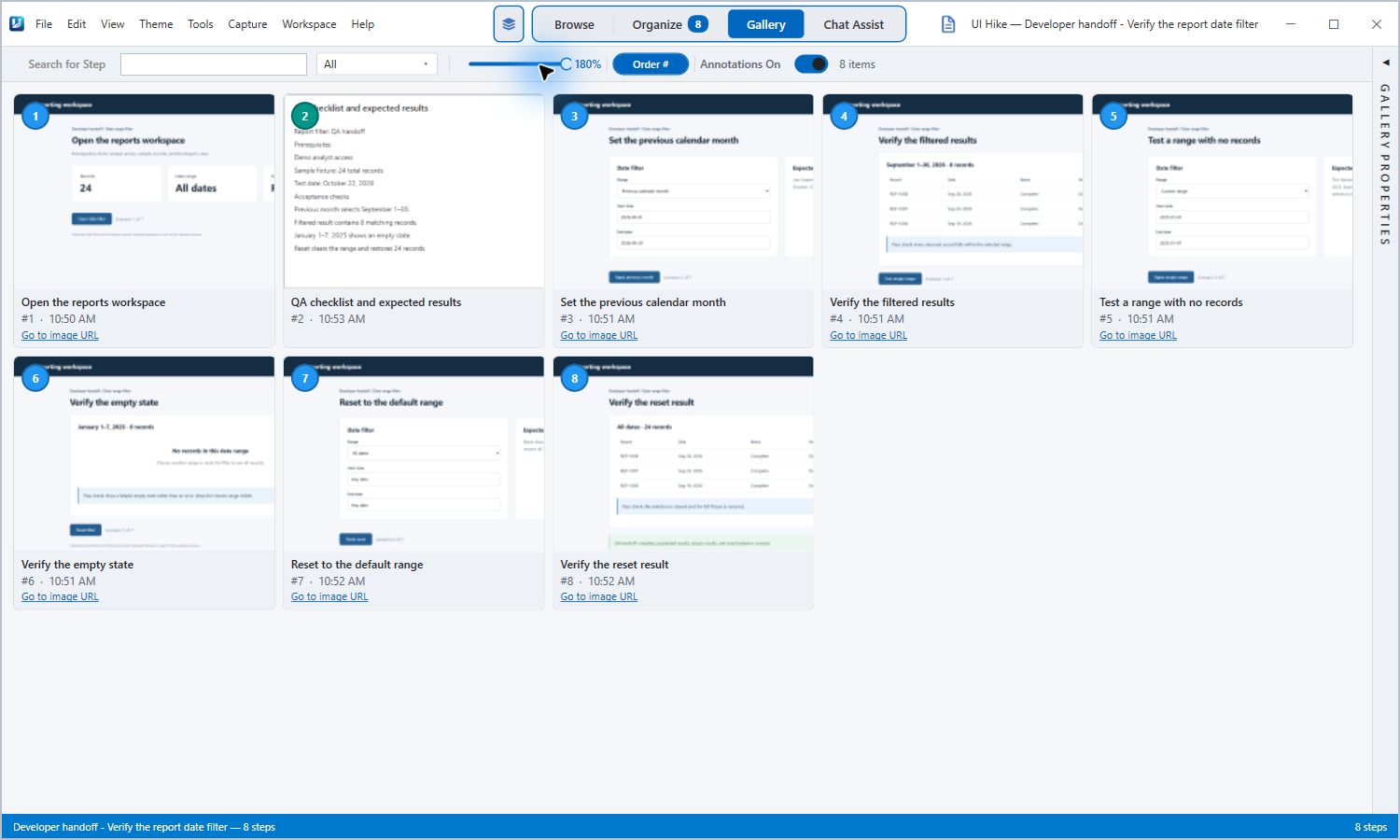
Use the guide at the right time
UIHike helps you preserve the screens and explanation behind a solution you already trust. When the symptom, cause, or outcome is unknown, use your normal investigation and escalation process first.
See capture, editing, and sharing in UIHike ↗
Capture the situation, the steps, and the result while the solution is still fresh. Give the next person a guide to follow.
Local Windows use without an account.
Cloud sharing requires an account.