Start locally without an account. An account is required for cloud sharing.
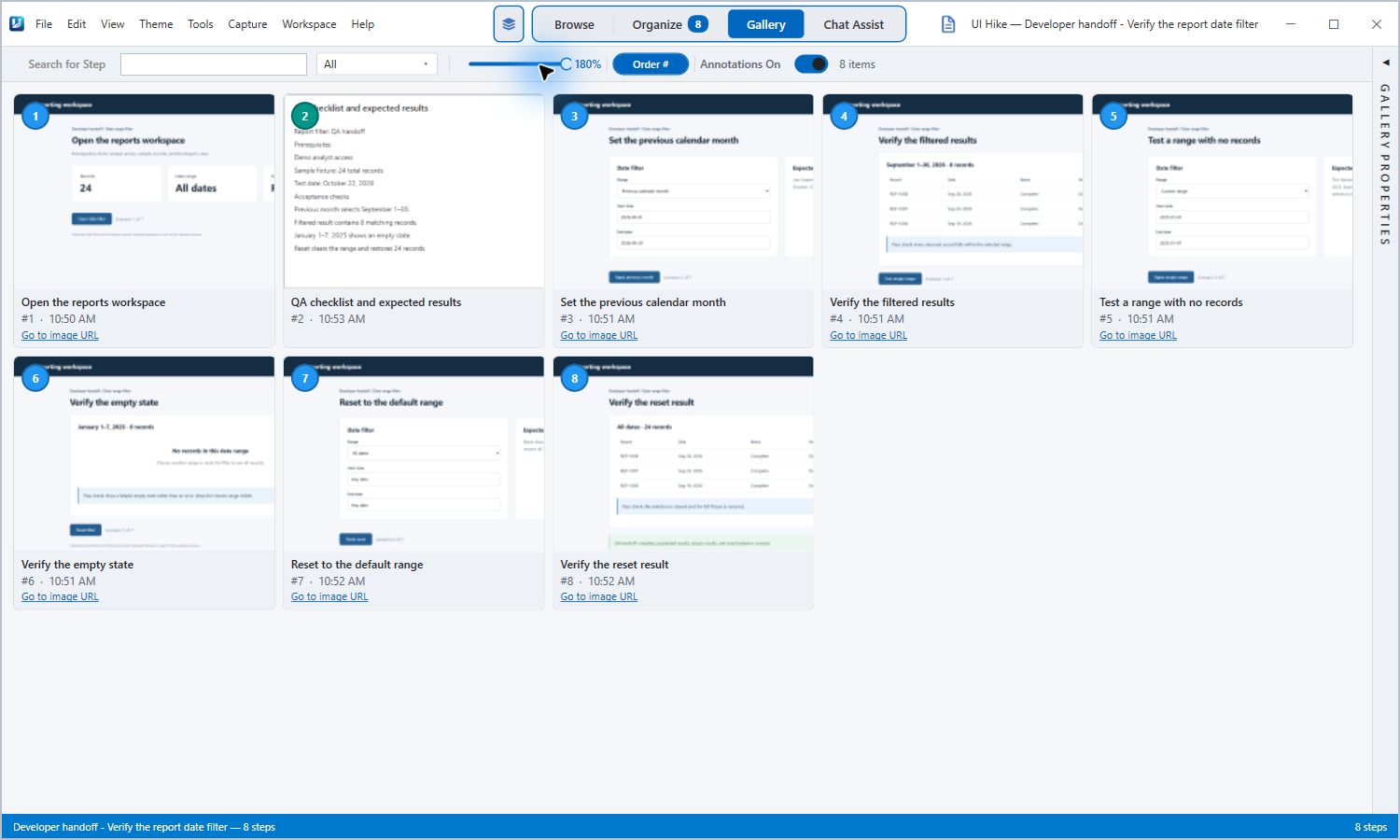
Real UIHike Windows app. A reporting workflow with fictional demo records. Select the image to inspect it.
Answer the questions the next person will ask.
A project changes hands. The next owner opens the folder. Help them get past “Where do I start?”
“What do I need first?”
Explain what they need before starting.
Put application links, access requirements, and setup instructions in one place so they can get started.
“How do I actually run this?”
Show how to complete the task.
Capture the screens in order. Add notes for the decisions and exceptions they need to understand along the way.
“How will I know it worked?”
Show what a correct result looks like.
Include the expected result and explain what to do if theirs looks different. Have them try the guide before you hand over.
One workflow inside a project handover
See a reporting workflow documented in UIHike.
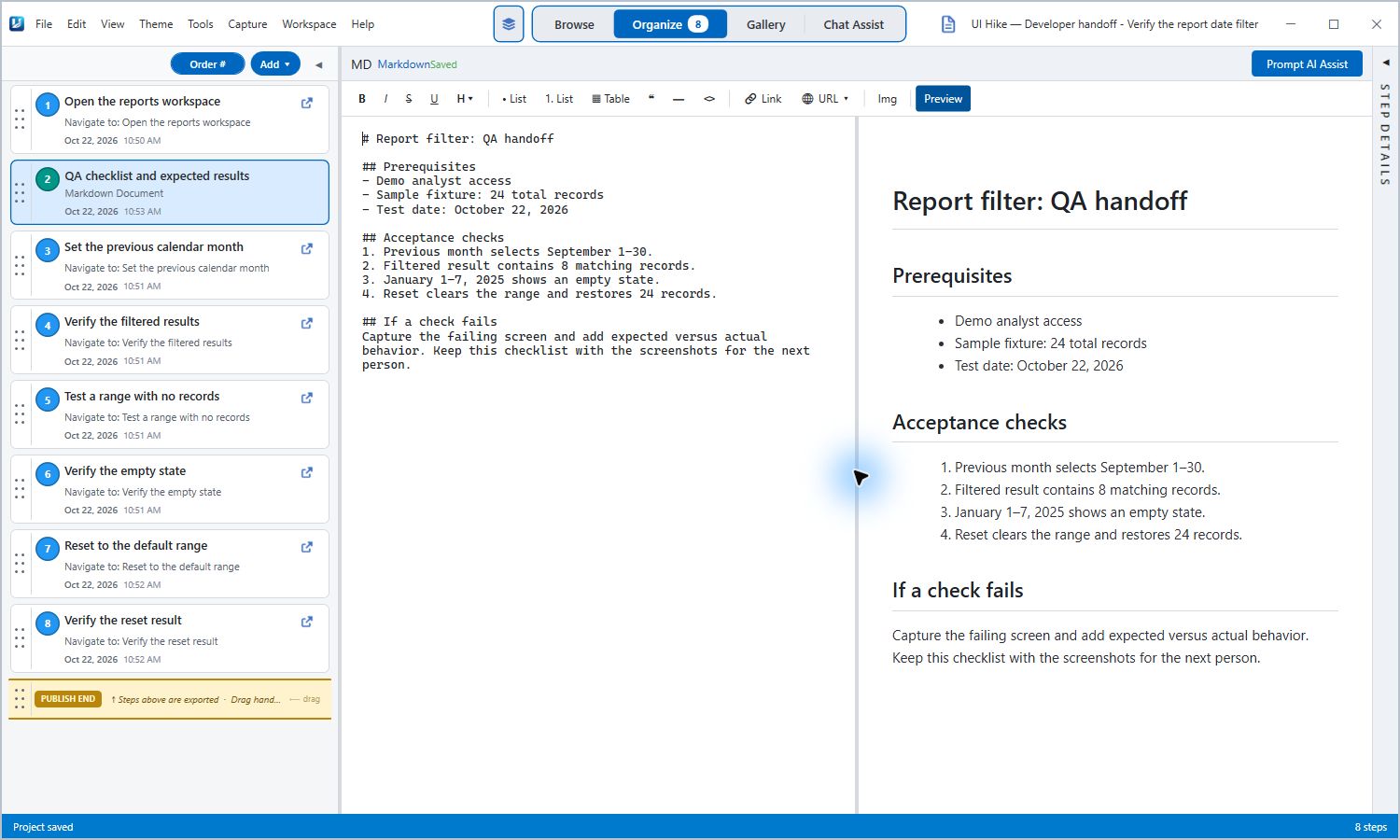
Imagine handing a reporting project to a new owner. They need to understand the normal result, an empty result, and how to reset the view. This real UIHike output puts those checks beside the screens they refer to.
Explain prerequisites and expected results with Markdown notes. Real app screenshot; fictional reporting scenario. Select to view full size.
Questions about project handover documentation
What should I include in a project handover?
Start with the project's purpose, current status, owners, and open work. Add the systems and access the next person needs, visual instructions for recurring tasks, expected results, and known exceptions. UIHike helps document the workflows; you still need to supply the decisions, responsibilities, and project context.
Can I document work across different applications?
Yes. In the Windows app, combine browser captures with window or region screenshots from other applications. Supported browser recording can retain interaction context and source URLs; desktop screenshots do not carry the same browser metadata.
Does the recipient need UIHike?
Recipients can read public or unlisted published guides in their browser without a UIHike account. Private guides require the appropriate access. You can also export supported formats such as HTML or Markdown. Cloud sharing requires an author account.
Can I remove sensitive information before sharing?
You can annotate and redact screenshots. Review the final output and its access settings before sharing. Editing is non-destructive, so the source project may still contain original screenshots. Keep passwords and credentials out of your guide.
What happens when the process changes?
Reopen the source project and revise the affected steps and notes. If you shared a published guide, update its published output as well; saving source edits alone does not update a published snapshot.
Document the first task someone will need to take over.
Capture it in UIHike. Add the context. Give the next owner a useful place to start.